

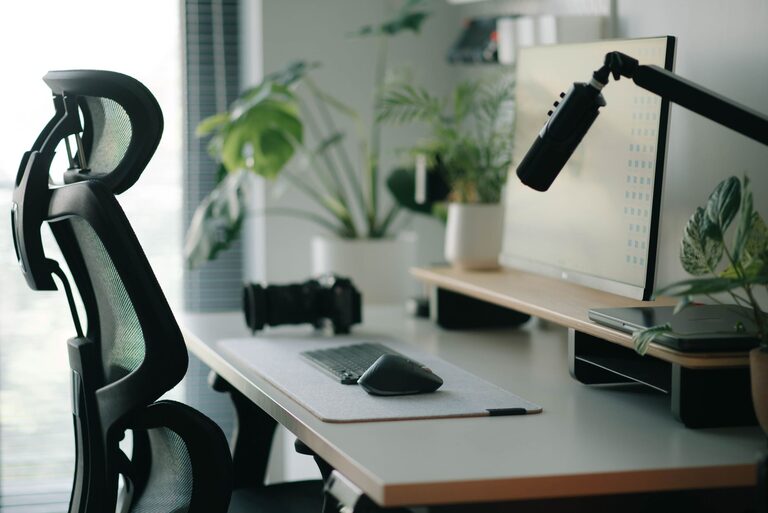
Creating a desk setup that supports both focus and comfort can make a significant difference in your productivity and overall well-being. Whether you work from home, study, or spend long hours at your desk, an organized and ergonomic workspace helps reduce distractions, prevent discomfort, and keep you motivated. In this post, we’ll explore practical tips for arranging your desk for maximum focus and comfort.
Why Your Desk Setup Matters
Your desk is more than just a place to put your laptop or papers — it’s the foundation of your working environment. A cluttered or poorly arranged space can lead to distractions, fatigue, and even physical pain. On the other hand, a well-planned setup encourages good posture, reduces strain, and helps you stay engaged with your tasks.
Choose the Right Desk and Chair
Ergonomics First
Start with selecting a desk and chair that fit your body and working style. Your desk height should allow your elbows to rest comfortably at about a 90-degree angle when typing. Your chair should support your lower back and allow your feet to rest flat on the floor or a footrest.
Adjustability Is Key
Look for chairs with adjustable seat height, backrest angle, and armrests. Being able to customize your setup reduces the risk of discomfort and repetitive strain injuries.
Position Your Monitor Properly
Eye Level Alignment
Place your monitor so the top of the screen is roughly at or slightly below eye level. This position helps keep your neck in a neutral position and prevents strain.
Distance Matters
Position the monitor about an arm’s length away (20 to 30 inches). This distance helps reduce eye strain and allows you to view the entire screen comfortably.
Dual Monitors Setup
If you use two monitors, place them close together and at the same height. Align the primary monitor directly in front of you to avoid excessive neck rotation.
Organize Your Desk Essentials
Keep Frequently Used Items Within Reach
Arrange items you use often—like your phone, notepad, or pens—within arm’s reach. This prevents unnecessary stretching or awkward movements.
Declutter Your Workspace
Clear your desk of unnecessary items to create a clean and distraction-free zone. Use cable organizers and trays to keep cords and small items tidy.
Use Vertical Space
Add shelves or wall organizers to keep documents and supplies off your desk but still accessible. This maximizes your workspace and reduces clutter.
Optimize Lighting for Focus and Comfort
Natural Light Is Best
Position your desk near a window to take advantage of natural light. Natural light improves mood and alertness.
Reduce Glare
Avoid positioning your monitor directly opposite windows or bright lights to minimize screen glare. Use blinds or curtains to control sunlight.
Use Task Lighting
Add a desk lamp with adjustable brightness and color temperature to provide adequate light for reading and detailed work without straining your eyes.
Incorporate Comfort Accessories
Ergonomic Keyboard and Mouse
Consider using a split or curved keyboard and an ergonomic mouse to reduce wrist strain. Wrist rests can also provide additional support.
Footrests and Cushions
If your feet don’t rest comfortably on the floor, use a footrest. Seat cushions can improve comfort during long sitting periods.
Plants and Personal Touches
Add small plants to your desk to improve air quality and reduce stress. Personal photos or items can make your workspace feel inviting and inspiring.
Maintain Good Posture and Take Breaks
Sit with Support
Keep your back straight, shoulders relaxed, and avoid slouching. Use your chair’s lumbar support and adjust as needed.
Stand and Move Regularly
Set a timer to remind yourself to stand, stretch, or take short walks every 30-60 minutes. Movement reduces stiffness and refreshes your focus.
Use a Standing Desk Option
If possible, try a sit-stand desk converter to alternate between sitting and standing throughout the day.
Final Thoughts
A well-designed desk setup that balances comfort and focus can transform your workday. By investing time in arranging your workspace ergonomically, organizing essentials, optimizing lighting, and adding comfort accessories, you’ll create an environment that supports productivity and well-being. Remember, small changes can make a big difference, so start with one or two adjustments and build from there. Happy organizing!